Every screenshot and animated border on this page was made in ShinyPost.
The best desktop capture tool.
More than screenshots. ShinyPost captures and records in ways that change what you can show, with less setup and nothing pulling you out of your flow. Most of it is free.
In the browser, Smart Select outlines the comment under your pointer. One click saves it, already cropped.
Smart Select the exact post or comment.
Hover a YouTube comment, a Facebook post or an X post and capture exactly that, already cropped. On your Mac, pick a window and Smart Select finds the panels inside it.Included free
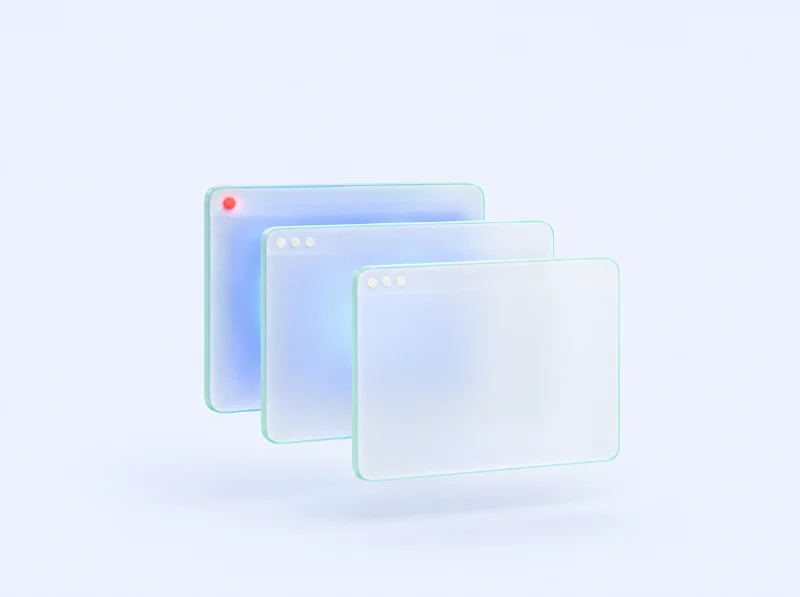
Record a window even when other windows cover it.
Only that window is recorded, never what’s on top of it. Keep working somewhere else.Included free
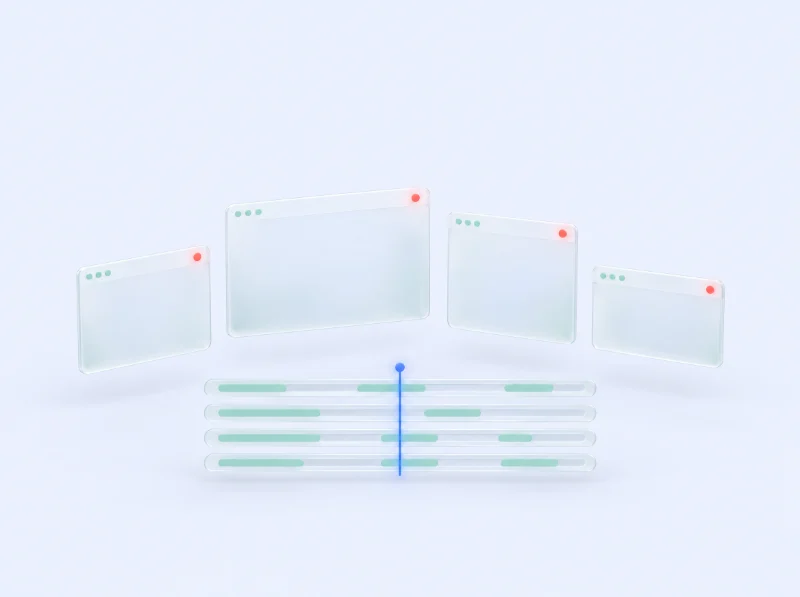
Record several windows at once.
Windows, screens and your camera, each saved as its own file that lines up in your editor.Part of Pro
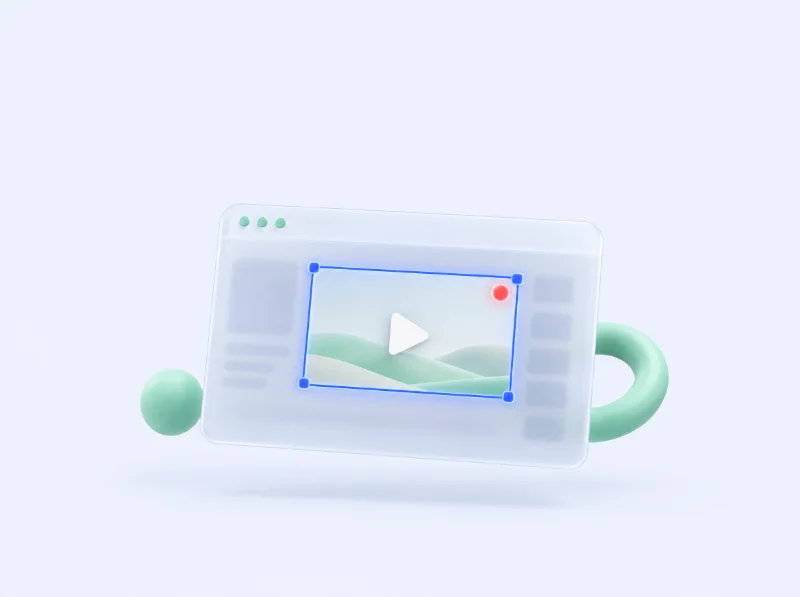
Record just the video that’s playing.
When a video plays in a page or a window, record the video, not the page around it.Included free
Also free: screen, window and area screenshots, Quick Capture with Option+Space, and copying text out of any screenshot.
Recording software built for creators.
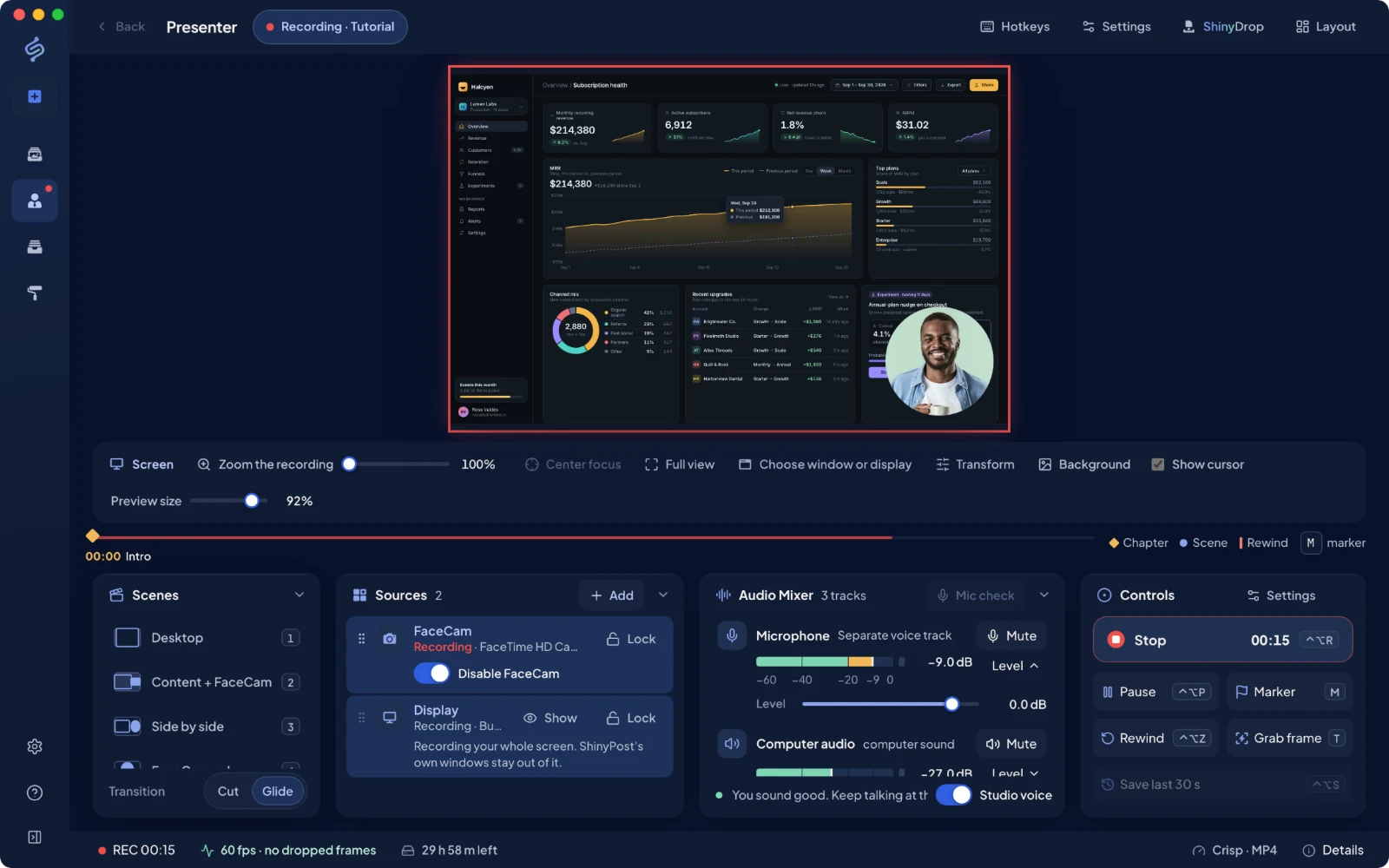
Presenter is the recorder inside ShinyPost, and it’s free, with no time caps and no watermark. Pick what to record, add your voice and camera, and stay in your flow while it records.
Choose a window, press record, keep working. Presenter records the window, not what you do around it.
Pick a window without leaving the app.
Every display and open window, with live previews, right inside Presenter.
Keep using your Mac.
A window keeps recording while you work in other apps. Close it and everything up to then is saved.
Add your camera.
FaceCam, placed and sized where you want it.
Rewind a mistake mid-take.
Flubbed a line? Jump back a few seconds and keep going. The mistake is cut for you.
Scenes, sources and a mixer.Your screen, camera and sound, each on its own track.
Rewind, then keep going.Markers become chapters. Rewind cuts the flub.
Pro adds Director, Studio voice, Smart zoom, Timelapse and automatic Live Privacy.
Presenter is a Mac feature. ShinyPost records; it does not stream.
Director, part of Pro
Tell Director how you want it edited.
Give Director a brief before a take, or tell it what to change afterward. Cut, zoom, or add a saved screenshot, then review the edit.
Direct before a take, or change a recorded take by saying what you want.
Point it at an exact region or moment.
Every edit is reviewable and reversible.
Say or type what you want changed. Director applies it to the take, and you review every edit.
The details that make the difference.
Small things you notice the first time you need them. Hover one to watch it; choose one to read more.
Move FaceCam after you record
Your screen and camera are recorded as separate files, so the layout isn’t baked in. Move or resize FaceCam after the take, or go back to the recorded layout, without recording again.
FaceCam, including moving or resizing it after the take, is included free.
Your take survives a crash
Recordings go straight to the folder or drive you chose. If your Mac crashes or a drive is unplugged mid-take, ShinyPost brings the recording back when you return.
Included free. Recovery is never gated.
Save what just happened
Keep the last 15, 30 or 60 seconds ready while Presenter is open. When something great happens, press a key and save it. Nothing is written to disk until you do.
Included free.
Timelapse
Record hours of work at one frame a second and turn it into a short sped-up video. It runs from the menu bar, pauses when you step away, and leaves out messages, mail and password managers.
Part of Pro.
Blur private details while you record
Draw or click to blur any area of your screen while recording, and hide notifications. Pro finds names, faces and comments for you and blurs them before they reach the file.
Manual blur is free. Automatic detection is part of Pro.
Copy text from any screenshot
Select the text in any screenshot and copy it, as if it were never an image. Recognition runs on your device, even offline, so nothing is uploaded.
Included free.
Captions
Get a transcript, captions and chapters from your markers, written on your Mac. Cut silences and filler words in a click.
Captions are included free. Cutting silences and filler words is part of Pro.
Teleprompter
Read your notes from a prompter that scrolls at your pace or on a hotkey. Viewers never see it; it stays out of the recording.
Included free.
How ShinyPost compares.
Recording, editing and capture, feature by feature, beside four tools creators already use. Scroll the chart to see every row.
FreeFree:included free
Paid or ProPaid or Pro:needs a paid plan (Pro on ShinyPost)
LimitedLimited:partly supported
—NoNo:not available
?Not listedNot listed:not on their public pages
ShinyPost compared with CleanShot X, Loom, OBS Studio and Screen Studio.
Feature
ShinyPostFree · Pro $11/mo
CleanShot X$35 one-time
LoomFree · from $15/mo
OBS StudioFree
Screen StudioFrom $9/mo
Record14 features
Record your screen, a window or an area
FreeShinyPost: included free
PaidCleanShot X: needs a paid plan
Limitedarea capture needs BusinessLoom: limited, area capture needs Business
FreeOBS Studio: included free
PaidScreen Studio: needs a paid plan
Record a window even when other windows cover it
FreeShinyPost: included free
?Not listedCleanShot X: not listed on their public pages
—NoLoom: not available
FreeOBS Studio: included free
?Not listedScreen Studio: not listed on their public pages
Record several windows at once, each as its own track
ProShinyPost: included in Pro
—NoCleanShot X: not available
—NoLoom: not available
—NoOBS Studio: not available
—NoScreen Studio: not available
Record just the video that's playing in a page or window
FreeShinyPost: included free
—NoCleanShot X: not available
—NoLoom: not available
Limitedcrop a capture by handOBS Studio: limited, crop a capture by hand
—NoScreen Studio: not available
Pick what to record without leaving the app
FreeShinyPost: included free
Limitedon-screen overlay onlyCleanShot X: limited, on-screen overlay only
FreeLoom: included free
FreeOBS Studio: included free
PaidScreen Studio: needs a paid plan
Camera overlay (FaceCam) while you record
FreeShinyPost: included free
PaidCleanShot X: needs a paid plan
FreeLoom: included free
FreeOBS Studio: included free
PaidScreen Studio: needs a paid plan
Microphone and computer audio
FreeShinyPost: included free
PaidCleanShot X: needs a paid plan
FreeLoom: included free
FreeOBS Studio: included free
PaidScreen Studio: needs a paid plan
Scenes, multiple sources and saved layouts
FreeShinyPost: included free
—NoCleanShot X: not available
—NoLoom: not available
FreeOBS Studio: included free
Limitedlayouts, not scenesScreen Studio: limited, layouts, not scenes
Teleprompter that stays out of the recording
FreeShinyPost: included free
—NoCleanShot X: not available
Limitedstatic notes, no scrollingLoom: limited, static notes, no scrolling
—NoOBS Studio: not available
PaidScreen Studio: needs a paid plan
Save the last 30 seconds (replay buffer)
FreeShinyPost: included free
—NoCleanShot X: not available
—NoLoom: not available
FreeOBS Studio: included free
—NoScreen Studio: not available
Timelapse recording
ProShinyPost: included in Pro
—NoCleanShot X: not available
—NoLoom: not available
—NoOBS Studio: not available
—NoScreen Studio: not available
Blur private details while recording
FreeShinyPost: included free
—NoCleanShot X: not available
PaidLoom: needs a paid plan
—NoOBS Studio: not available
Limitedmasks added after recordingScreen Studio: limited, masks added after recording
Recover a take after a crash
FreeShinyPost: included free
PaidCleanShot X: needs a paid plan
FreeLoom: included free
FreeOBS Studio: included free
PaidScreen Studio: needs a paid plan
No watermark and no recording time limit
FreeShinyPost: included free
PaidCleanShot X: needs a paid plan
PaidLoom: needs a paid plan
FreeOBS Studio: included free
PaidScreen Studio: needs a paid plan
Edit4 features
Edit a recording by saying or typing what you want changed
ProShinyPost: included in Pro
—NoCleanShot X: not available
Limitedtranscript cuts onlyLoom: limited, transcript cuts only
—NoOBS Studio: not available
Limitedtranscript cuts onlyScreen Studio: limited, transcript cuts only
Move or resize the camera after recording
FreeShinyPost: included free
?Not listedCleanShot X: not listed on their public pages
—NoLoom: not available
—NoOBS Studio: not available
PaidScreen Studio: needs a paid plan
Captions on your recording
FreeShinyPost: included free
Limitedon the Cloud share pageCleanShot X: limited, on the Cloud share page
FreeLoom: included free
—NoOBS Studio: not available
PaidScreen Studio: needs a paid plan
Automatic zoom that follows the action
ProShinyPost: included in Pro
PaidCleanShot X: needs a paid plan
—NoLoom: not available
—NoOBS Studio: not available
PaidScreen Studio: needs a paid plan
Capture5 features
Click a post or comment on a web page to capture exactly it, already cropped
FreeShinyPost: included free
—NoCleanShot X: not available
—NoLoom: not available
—NoOBS Studio: not available
—NoScreen Studio: not available
Screenshots of the screen, a window or an area
FreeShinyPost: included free
PaidCleanShot X: needs a paid plan
Limitedscreen or area, not a windowLoom: limited, screen or area, not a window
Limitedneeds a capture source firstOBS Studio: limited, needs a capture source first
—NoScreen Studio: not available
Copy text out of any screenshot, on your device
FreeShinyPost: included free
PaidCleanShot X: needs a paid plan
—NoLoom: not available
—NoOBS Studio: not available
—NoScreen Studio: not available
Turn a screenshot into a styled post with a frame or border
FreeShinyPost: included free
PaidCleanShot X: needs a paid plan
—NoLoom: not available
—NoOBS Studio: not available
—NoScreen Studio: not available
Animated borders and frames on screenshots
ProShinyPost: included in Pro
—NoCleanShot X: not available
—NoLoom: not available
—NoOBS Studio: not available
—NoScreen Studio: not available
Make2 features
Turn app screenshots into an edited product video
ProShinyPost: included in Pro
—NoCleanShot X: not available
—NoLoom: not available
—NoOBS Studio: not available
—NoScreen Studio: not available
Edit in a browser on any computer
ProShinyPost: included in Pro
—NoCleanShot X: not available
PaidLoom: needs a paid plan
—NoOBS Studio: not available
—NoScreen Studio: not available
What free actually means.
Two free pieces, and exactly what each one does. Recording is complete on Free.
Free browser extension
Chrome and Chromium-based browsers
Screenshot postsChart explainersReferences
Smart Select: hover a comment or post and capture it, already cropped
Capture the visible view, a dragged area, the full page, an image or selected text
Full-page capture without repeated sticky headers
Crop, annotate, style and hide private details
Copy text from a screenshot, on your device
Keep a page floating above your other windows
Make a basic chart from a table’s numbers
Save finished images to your computer
Send captures to the free Mac app; pairing is opt-in and stays on this computer
No watermarks. No caps on everyday capture or recording.
Capture in the moment.
ShinyGO and Quick Capture with Option+Space, a keystroke away.
Keep your next idea close.
A Library with search, and Collections with no count limit.
Text stays on your Mac.
Copying text out of a screenshot runs on your device, even offline. Nothing is uploaded.
Pro, when you want more.
Everything in Free, plus the edge for shaping your takes: Director first, then Showcase exports and the web workspace.
Also in Pro
Showcase, with exports in Pro
Turn your projects into videos worth sharing.
Turn app, website, and project screenshots into editable videos, or data into animated chart explainers. Shape the scenes and export as often as you need with Pro.
Create and save for free. 3 exports included once at signup, across Showcase Apps and Charts.
The web workspace, included in Pro
Take ShinyPost anywhere you go.
On a friend’s or work computer? Edit screenshots, add text, and prepare your next post in your browser. No app installation.
ShinyPost Pro
Director, Showcase exports, and your workspace on the web.
Mac app, Browser extension, Web workspace
ShinyDrop is included in Pro. Collect screenshots, clips, and files in a floating shelf. Save destinations and send files together.
Yes. Presenter, screen and camera recording, single-video Caster commentary, Smart Select, everyday screenshot editing, Library and Collections, and ShinyGO are included. You can also create and save Showcase projects for free, with 3 free Showcase exports when you sign up. After those exports, keep creating and saving; Pro is needed to export more. ShinyDrop is included in Pro. Ordinary recording and capture have no usage caps, and neither plan adds watermarks.
What does Pro cost?
Pro is $11 per month when billed yearly at $132, or $15 per month with monthly billing. Yearly billing saves $48 compared with twelve monthly payments. Both options include the same Pro features.
Do I need another video editor?
ShinyPost brings capture, recording, everyday editing, and export into one workflow. Use a separate editor when your project calls for advanced VFX or deeper production.
Does Pro include the same features everywhere?
Your membership includes Pro features wherever they’re supported. The browser workspace supports screenshot, image, text, chart, organization, and export tools. Presenter, Caster, ShinyGO, and ShinyDrop remain in the Mac app.
Will my projects follow me to another computer?
Your membership gives you access to the web workspace. Your Mac Library does not automatically sync, so bring the files you want to work with. Browser projects are stored locally in that browser.
Capture anything. Record your content. Start free.
The Mac app and the browser extension are free, with everything you need to record. Add Pro when Director, Showcase exports, ShinyDrop and the web workspace earn their place.